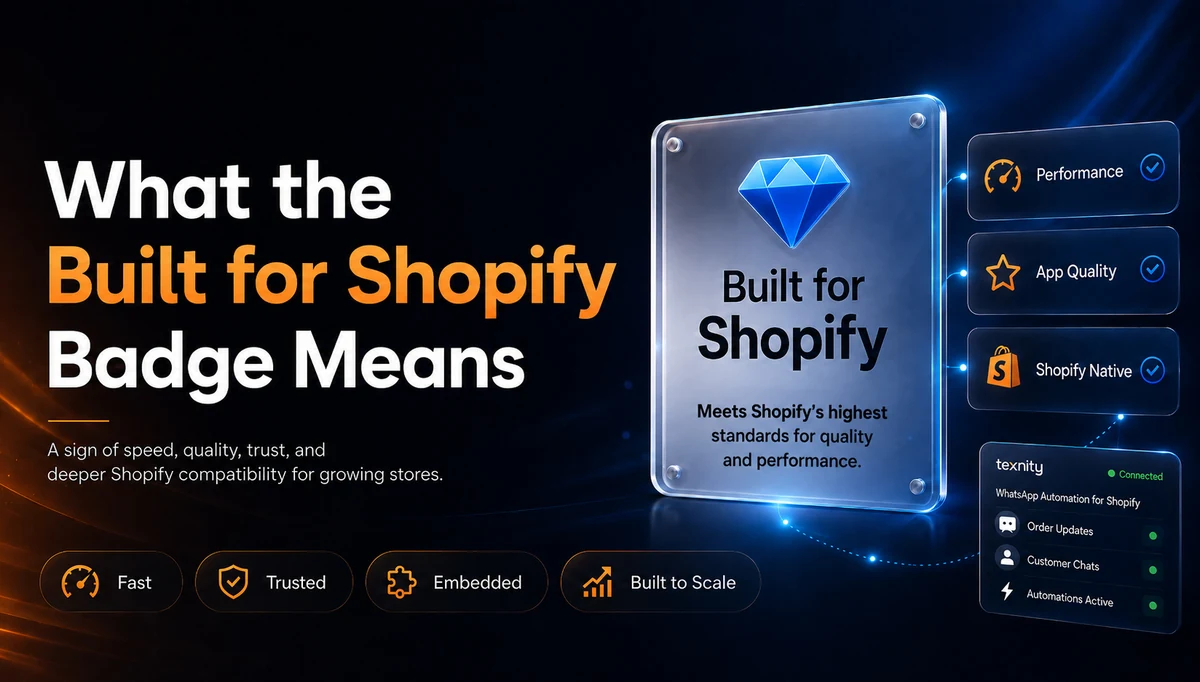
Built for Shopify: The One Badge on an App Listing That Is Actually Measured
There are around ten thousand apps in the Shopify App Store, and almost every listing claims to be fast, reliable and easy to set up. Nothing on the page stops an app from saying so. That is why most merchants end up choosing on star rating and screenshots, then find out three weeks later that the admin has gotten sluggish or that uninstalling left code behind in the theme.
The Built for Shopify badge is the one signal on a listing that a merchant did not write and a developer cannot buy. Shopify awards it automatically, against thresholds it measures itself on real merchant sessions, and it takes the badge away again when an app drops below them. Texnity now carries it, and this post explains what it took, because the criteria are worth understanding whichever app you are evaluating.
What the Built for Shopify Badge Actually Is
Built for Shopify is Shopify's designation for apps that meet its highest standard for quality, performance and merchant experience. It is not a paid placement, not an editorial pick and not something a partner applies for with a pitch. Shopify defines a set of thresholds, measures every app against them continuously, and grants or removes the status based on what the numbers say.
That last part is what gives the badge its weight. A five star rating reflects the merchants who felt strongly enough to write a review, which is a real signal but a self selecting one. Built for Shopify reflects telemetry from every merchant using the app, including the ones who never leave a review and simply uninstall when something feels slow.
The Criteria an App Has to Meet
Shopify publishes the achievement criteria openly, and they fall into two groups. The first is adoption and trust, which proves the app is genuinely in use rather than freshly published:
- At least 50 net installs from active shops on paid plans, so trial installs and test stores do not count toward the threshold.
- A minimum of five App Store reviews, and an average rating at or above Shopify's required level.
- The app must be embedded in the Shopify admin using the latest version of App Bridge, so merchants stay inside Shopify instead of being bounced to a separate dashboard.
- Apps that touch the storefront must use theme app extensions, which is what allows an app to uninstall cleanly and leave no orphaned code in your theme.
- Ongoing compliance with every App Store requirement, the Shopify API License and Terms of Use, and good standing as a Shopify Partner.
The Performance Bar Is Where Most Apps Fall Short
The second group is performance, and it is the harder half. Shopify measures the app's own admin pages using the same Core Web Vitals that Google uses for search, taken at the 75th percentile of real sessions over a rolling 28 day window, with a minimum of 100 measured loads before the numbers count at all.
The thresholds are specific. Largest Contentful Paint has to come in at 2.5 seconds or less, so the page has to actually finish drawing its main content quickly. Cumulative Layout Shift has to stay at 0.1 or below, meaning the interface cannot jump around while it loads. Interaction to Next Paint has to be 200 milliseconds or less, so the app responds the moment a merchant clicks.
On the storefront side the rule is blunt: an app must not reduce your store's Lighthouse performance score by more than ten points. Apps that inject heavy scripts into every page fail this one, and it is the criterion that protects the thing a merchant actually cares about, which is the speed of the store their customers see.
Reading those numbers as a merchant, the useful translation is this. The badge means somebody measured whether this app slows down the admin you work in all day and the storefront your customers buy from, and the answer was no.
Why the Badge Matters When You Are Picking an App
Most of what determines whether a Shopify app is a good idea cannot be checked from the listing page. You cannot tell from screenshots whether an app leaves script tags behind when you remove it, whether it is built on current APIs or on endpoints that will be deprecated next year, or whether it will still respond quickly once your store is doing real volume on a Friday launch.
The badge is a proxy for exactly those invisible things. It does not tell you the app does what you need, and it is no substitute for reading reviews from stores that look like yours. What it does tell you is that the engineering underneath is current, measured and maintained, which is the part you would otherwise be taking on faith.
It is worth being precise about the limit here. Built for Shopify is a quality and performance standard, not a verdict on whether a given app suits your business. Pick the app that solves your problem, and use the badge to narrow the shortlist to the ones that will not cost you speed to run.
What Changes Inside the Shopify App Store
For the app itself, the status changes how merchants find it. Shopify shows the badge on app cards throughout the store, and offers a dedicated search filter so merchants can restrict results to Built for Shopify apps only.
Beyond the badge, apps that hold the status rank higher in App Store search, become eligible for promotion on homepage and category pages, can appear in the Picked for you recommendations inside the Shopify admin, and get priority when future submissions go through app review.
How Texnity Earned the Badge
Texnity WhatsApp Business API has been on the Shopify App Store since June 2025. It currently holds a 5.0 rating across 32 merchant reviews, which cleared the adoption and trust half of the criteria some time ago.
The performance half is the part that takes engineering discipline rather than time. Staying embedded in the admin on the current version of App Bridge, holding the Core Web Vitals thresholds across every merchant session rather than on a developer laptop, and keeping the storefront footprint small enough not to move the Lighthouse score are all ongoing commitments rather than a one time submission.
The badge is now live on the listing, and it applies to the same app merchants have been running the whole time. Nothing about the pricing or the setup changed with it.
What Texnity Actually Does for a Shopify Store
The badge is about how the app is built. What it does is send your store's events to customers on WhatsApp, on the official WhatsApp Business Platform rather than an unofficial automation of WhatsApp Web, so your number is not at risk of being blocked.
Once the store is connected, order confirmations, dispatch and delivery notices go out the moment the event fires, in a template you wrote in your own brand voice. Abandoned checkouts get a timed nudge with the cart contents and a checkout link, optionally carrying a discount. Cash on delivery orders can be confirmed with tap to confirm buttons before anything leaves the warehouse, which is the single most effective way to cut refused parcels. Every reply lands in one shared team inbox alongside your Instagram, Messenger and email conversations.
The full breakdown of the store events, templates and setup steps is on the Shopify integration page, and the plans are on pricing. If you run WooCommerce rather than Shopify, the equivalent is the free WooCommerce plugin.
The Badge Can Be Lost, Which Is the Point
Built for Shopify is not a certificate that gets framed. Shopify keeps measuring, and an app that lets its performance slip below the thresholds, falls out of compliance with App Store requirements or stops keeping up with platform changes loses the status.
That is the reason it is worth anything at all. A signal that could be earned once and kept forever would tell you what an app was like on the day it was reviewed. A signal that has to be re earned every month tells you what it is like now.
Questions Merchants Ask About the Badge
Can a developer pay for the Built for Shopify badge? No. It is awarded against measured criteria, and there is no route to buy it or apply for an exception.
Does the badge mean the app is free of bugs? No. It means the app meets Shopify's thresholds for performance, platform currency and merchant experience. Read the reviews for how it behaves in practice, ideally from stores in your category and country.
Should I only install Built for Shopify apps? Not necessarily. Plenty of good, specialised apps serve smaller niches and have not crossed the 50 paid install threshold yet. Treat the badge as a strong tie breaker rather than a hard filter.
Does it cost the merchant anything? No. It is a status on the app listing and changes nothing about what you pay.
Try It on Your Store
Texnity installs from the Shopify App Store in a couple of clicks, with a free trial, no code and no theme changes. Order and checkout events start syncing straight away, and you pick which ones should message your customers.
You can see what other merchants did with it in the customer case studies, or read how the official WhatsApp Business Platform differs from the unofficial tools in this comparison. When you are ready, the Shopify integration page walks through the whole setup.
Ready to run WhatsApp the official way?
Official API access, a shared inbox, automation and reports in one place.